Creating a Stress-Free Compliance Experience with a Human-Centered Approach
PROBLEM
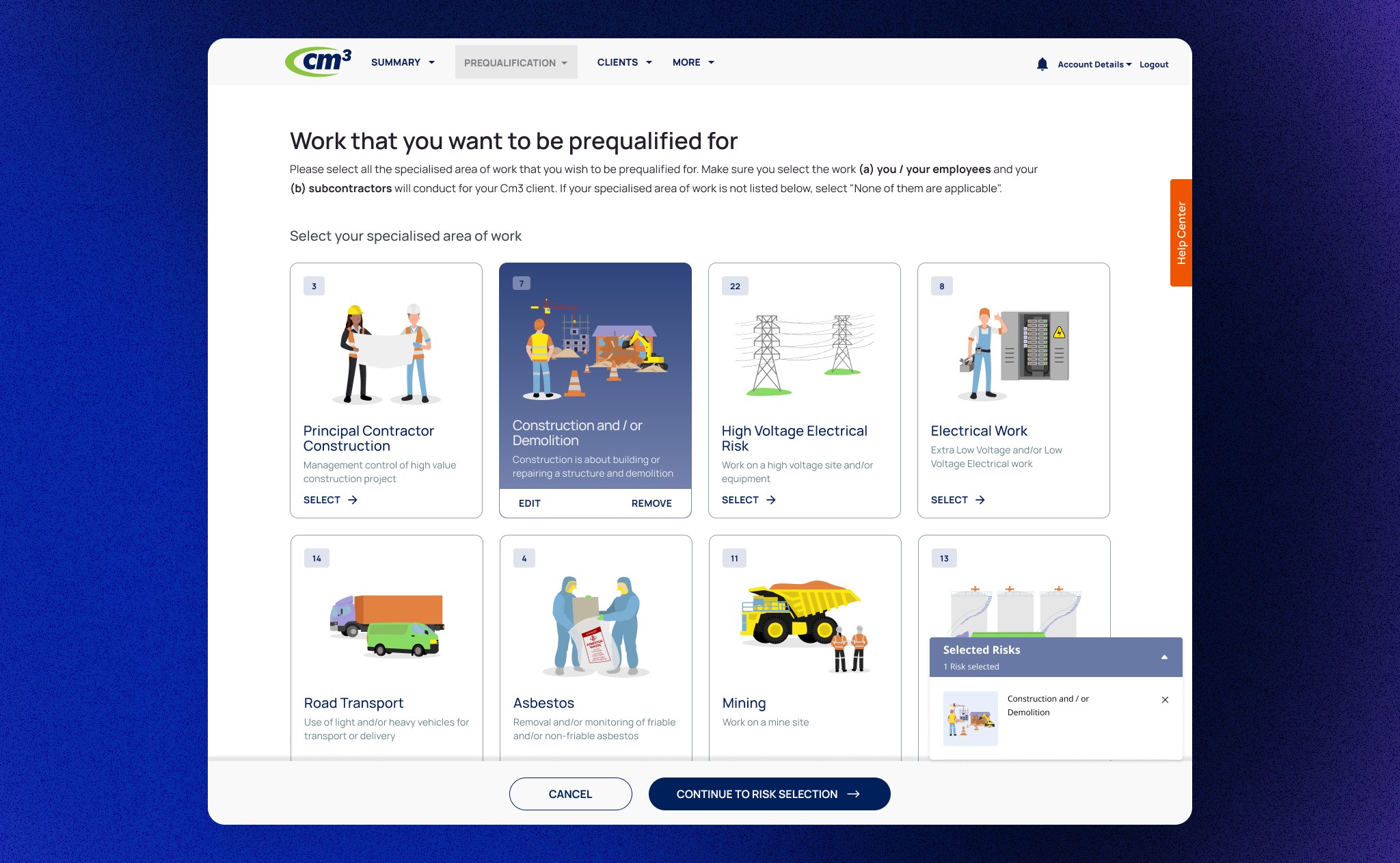
Users have reported that the Business Risk Profile section is confusing, primarily due to its numerous content-heavy questions and lack of visual aids. Contractors, who are required to complete and review this form annually during their Cm3 subscription renewal to achieve compliance status, frequently make errors. These errors have led to a high volume of support calls, thereby delaying the approval process and subsequently postponing the commencement of work.
Goals
Enhance the user experience by simplifying the form completion process and eliminating confusion.
Facilitate quick and accurate completion of requirements, leading to faster subscription approvals.
Reduce the volume of customer support calls by improving form usability and clarity, ultimately ensuring a seamless and efficient user experience.

Design Process
How I started chipping away at the problem
Contextual Inquiry from the Support Team & Clients
The product owner and I convened to review all pertinent information. I conducted interviews with the head of the customer support team and uncovered critical insights regarding the nature of support calls.
Mockups & 1st round of Usability Test
Subsequently, I collaborated with the Lead Designer and Product Owner and quickly created a low-fidelity design concept featuring placeholders for illustrations and clear copy and call to action buttons to assist contractors in making quick, informed decisions regarding business risk relevance. I presented this initial concept to stakeholders and UI engineers to discuss its feasibility.
Real world blocker/ While collaborating with the Product Owner and Client Account Managers to arrange user testing sessions with clients, I encountered challenges in scheduling interviews.
Solution/ Incentives! We devised an incentive program offering $100 gift vouchers that clients could either donate to a nominated charity or use themselves. Convincing the stakeholders required some effort, but after thorough discussion, we secured $1,200 to run user testing with 12 clients.

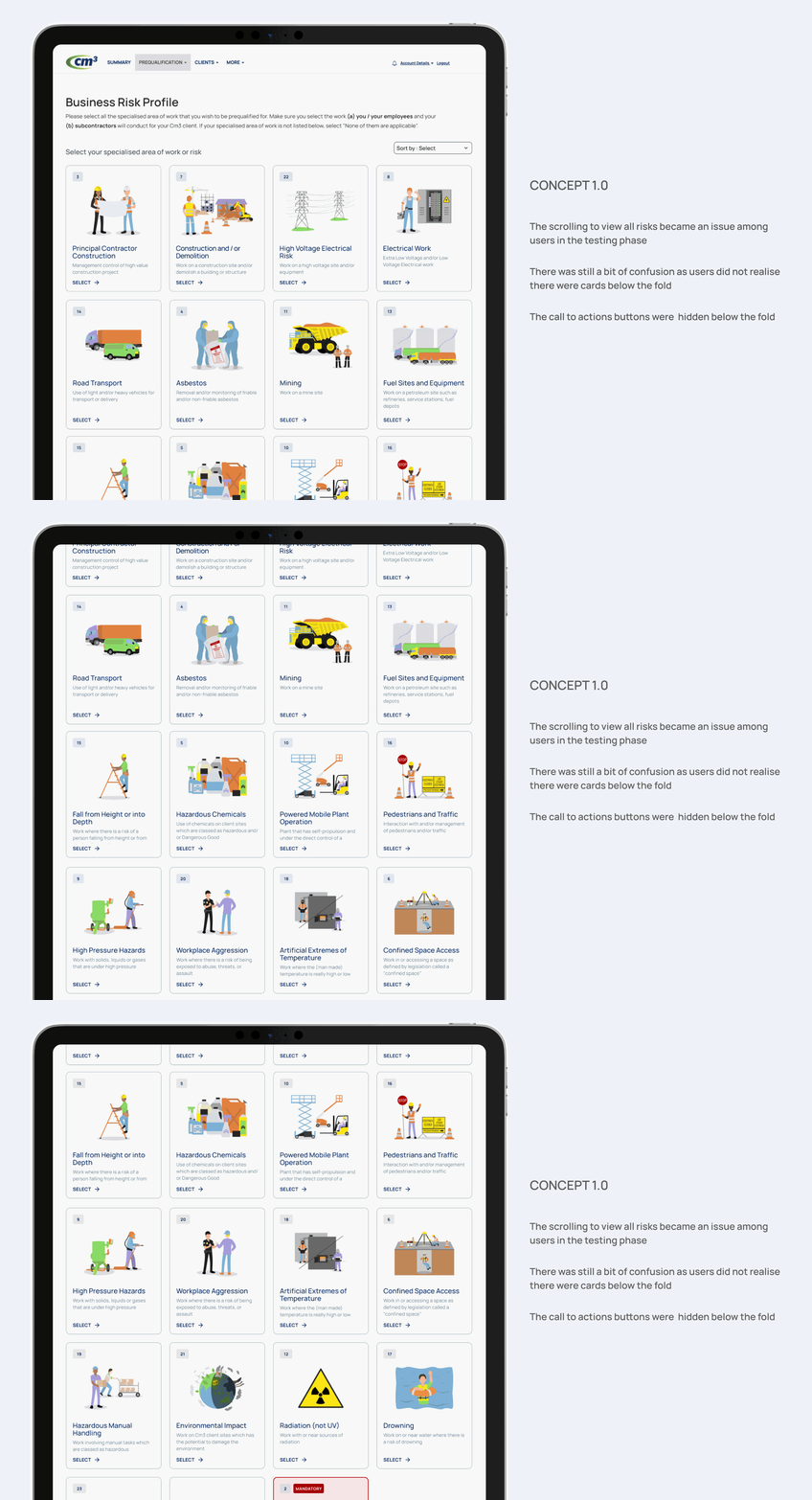
Insights from 1st usability testing
Implemented feedback from 1st round
We discovered that the lengthy scroll on the page still hindered decision-making and caused delays. To address this, we revisited our design and decided to further simplify the process by dividing the selection process into two distinct categories: work selection and risk selection.
Conducted 2nd round of Usability Test
Despite the incentives, we continued to face scheduling issues with the users. To address this, we opted to use Maze for prototype testing. This tool provided the users with the flexibility to complete the testing at their convenience.
Re-iterated Design feedback
We conducted another round of remote user testing with the same contractors, utilizing Maze to monitor the time taken to complete the task. Remarkably, 9 out of 12 contractors finished in under a minute. In contrast, Hotjar statistics indicated that previously, it took nearly 8 minutes for contractors to determine relevant business risks. This significant improvement validated my design decision to incorporate visual aids.

04
Results & Impact
The updates resulted in a 60% decrease in customer support tickets. Additionally, this improvement led to quicker compliance approvals and increased customer satisfaction.